
Introduction
The Avaya Infinity™ platform provides the Agent SDK, which is a library that provides APIs designed to facilitate the seamless integration of Avaya Infinity™ contact center agent functionalities into the client application of your choice.
Next Steps
- Review the key components and integration flow involved to achieve Agent SDK integration in the Integration Steps section.
- Obtain the necessary access information for Agent SDK from the Avaya Infinity™ Admin Console.
- Refer to these supporting artifacts:
- Integrate your client application with Agent SDK to enable contact center agent capabilities.
Integration Steps
Integration with Avaya Infinity™ Agent SDK requires the following steps at a high level:
- Provision an Agent SDK Integration
- Understand how to Log in to Agent SDK through IdP.
- Integrate your Client Application with Agent SDK to use Avaya Infinity™ contact center agent capabilities.
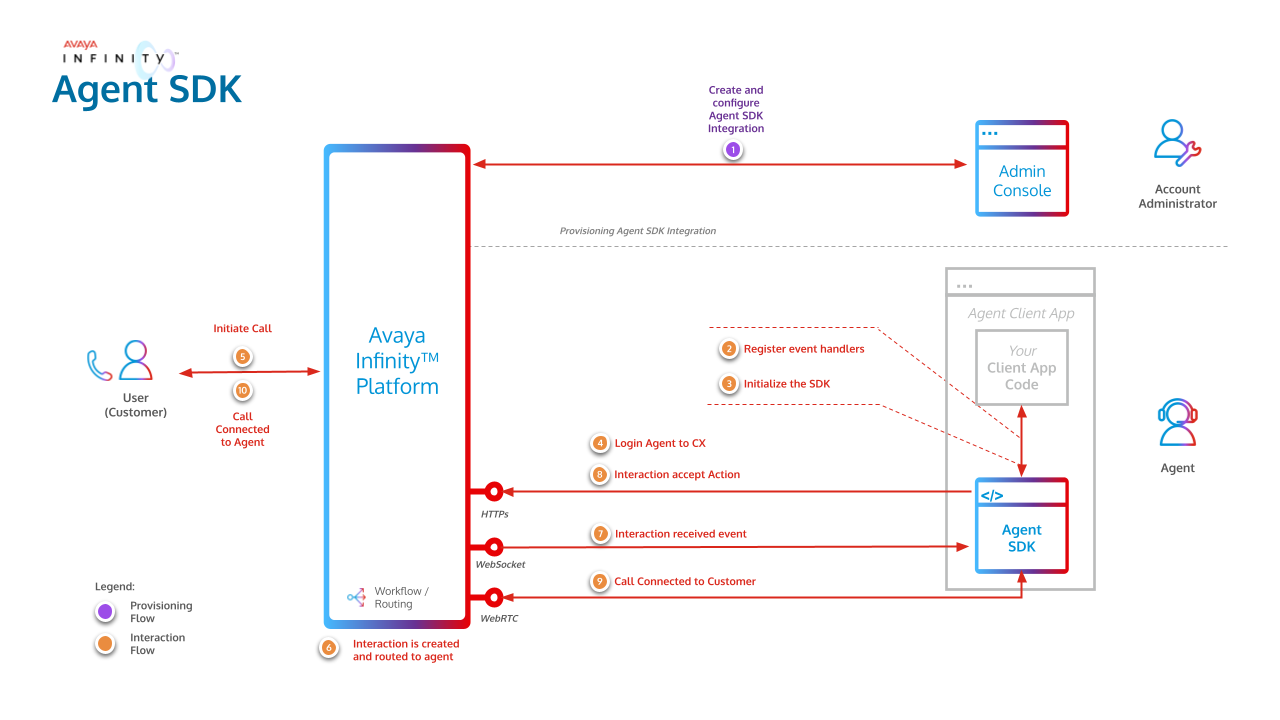
The below image gives a high level overview of the Agent SDK flow.
Provision an Agent SDK Integration
Your Account Administrator must first provision an Agent SDK integration using the Avaya Infinity™ Admin Console. A unique client ID is generated for each integration, which is required for successfully authenticating your client application (which uses Agent SDK) with Avaya Infinity™.
Multiple integrations can be created in an Avaya Infinity™ account to represent various business functions. Each integration can be associated with multiple redirect URIs which allows for seamless SDK usage from multiple hosts.
Details Required for Agent SDK Client
To integrate your client application with Avaya Infinity™ Agent SDK for contact center agent capabilities, you need to gather some essential details and credentials. Reach out to your Avaya Infinity™ account administrator to obtain the following.
- Avaya Infinity™ hostname
- Client ID
- Redirect URI
- Identity Provider (IdP) Hint (optional for SSO)
Logging in to Agent SDK through IdP
The Agent SDK is also compatible with SSO based login which can be used via the Avaya Infinity™ Login page or directly via an Identity Provider (IdP) Hint.
Avaya Infinity™ Login page:
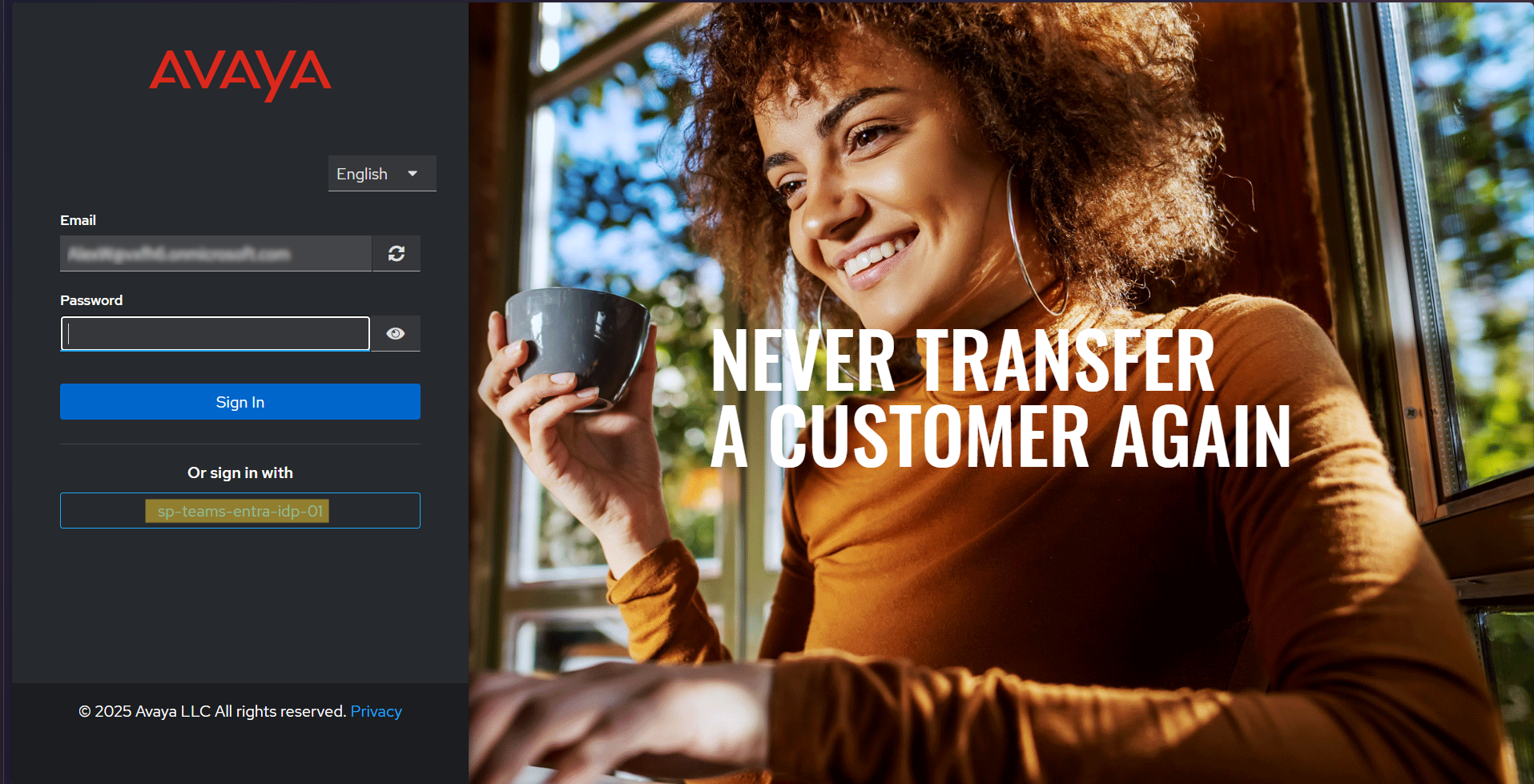
If you use the Avaya infinity login page, then the agent will need to provide the "Email" address configured during user creation. This will list the available IdP integrations on the login page. The agent can then click the desired IdP to proceed with the IdP login.
Providing the IdP hint during SDK initialization will redirect the agent to the IdP's login page, skipping the additional step mentioned above .i.e. entering the "Email" and choosing the IdP integration manually.
[!NOTE]
Same agent simultaneously logging into Agent Desktop and Agent SDK is not supported.
Multi-tab and Multi-browser is not supported in Agent SDK.
Getting Started
The quickest way to experience the Agent SDK is by running the bundled demo application, a fully functional agent client that exercises the SDK end to end. The Quick Start Guide walks you through the prerequisites, setup, and first sign-in in just a few steps.
Build your own Agent UI
When you're ready to build your own agent experience on top of the Agent SDK, our Agent SDK Resources bring everything together in one place. There you'll find the API reference, the demo application's source code, the npm package and the use case guides you need to get from prototype to production.
Supported Browsers
The Agent SDK requires browsers that support at least ECMAScript 2022 or newer.
The Agent SDK has been tested and supported on following browsers:
- Chrome: Latest and one major version behind
- Edge: Latest and one major version behind
Updated 20 days ago