
Deployment
Deployment & Administration
InfinityElements are deployed through the Infinity Administration Portal:
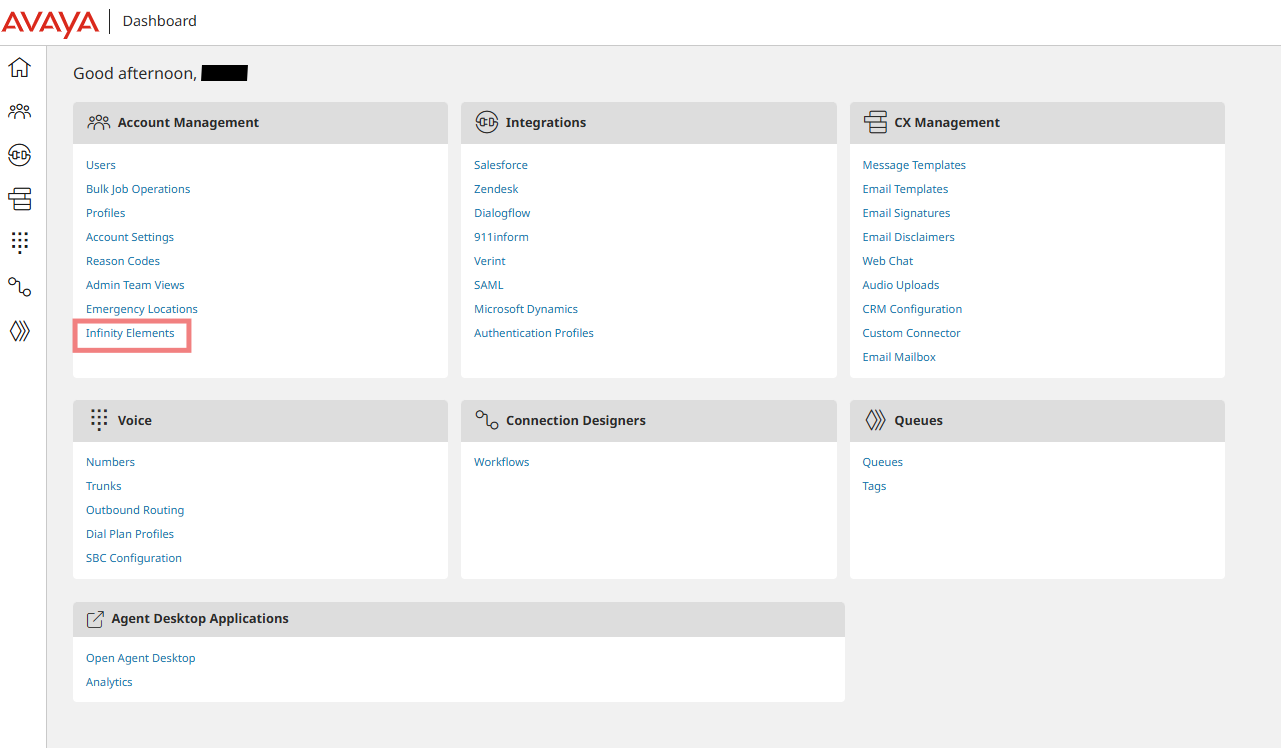
Avaya Infinity Admin
Upload and Configuration
-
Upload Package - Upload the built .js file (up to 100 MB)
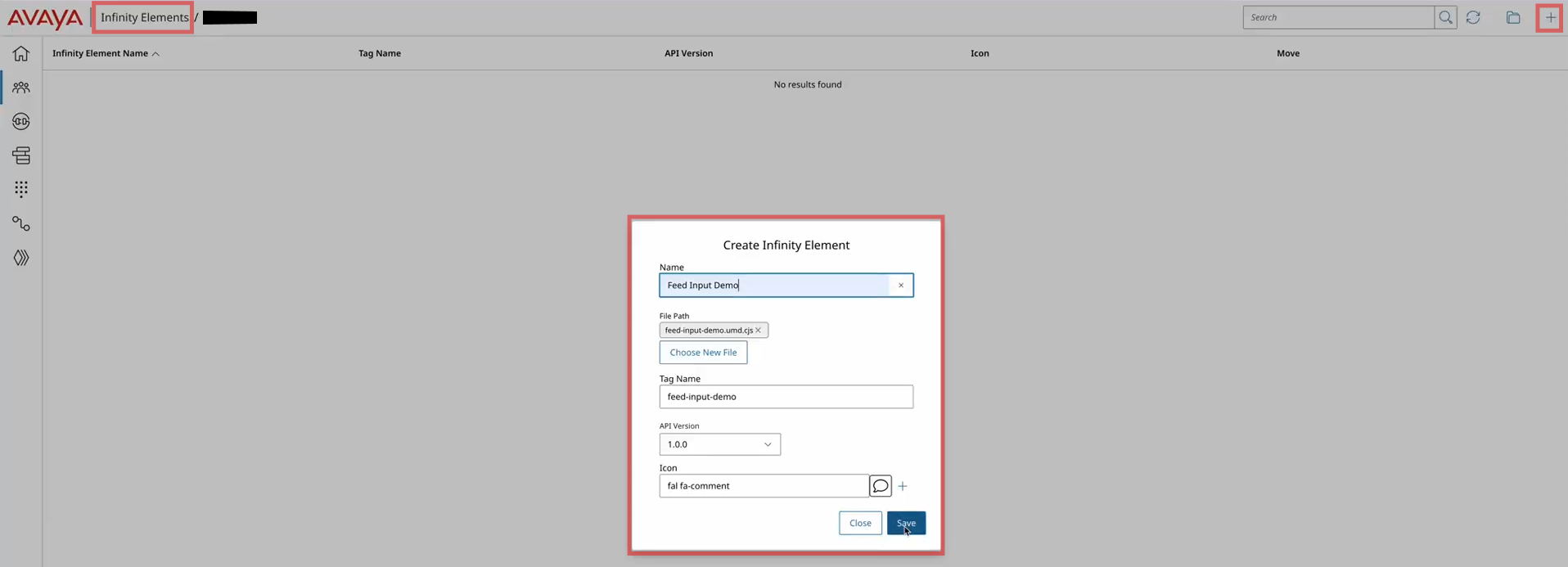
Avaya Infinity Admin - New Infinity Element
-
Configure Metadata - Set name, description, tags, and custom properties
-
Assign Infinity Element(s) to Users and/or Queues
- App-Level: Associate with specific users
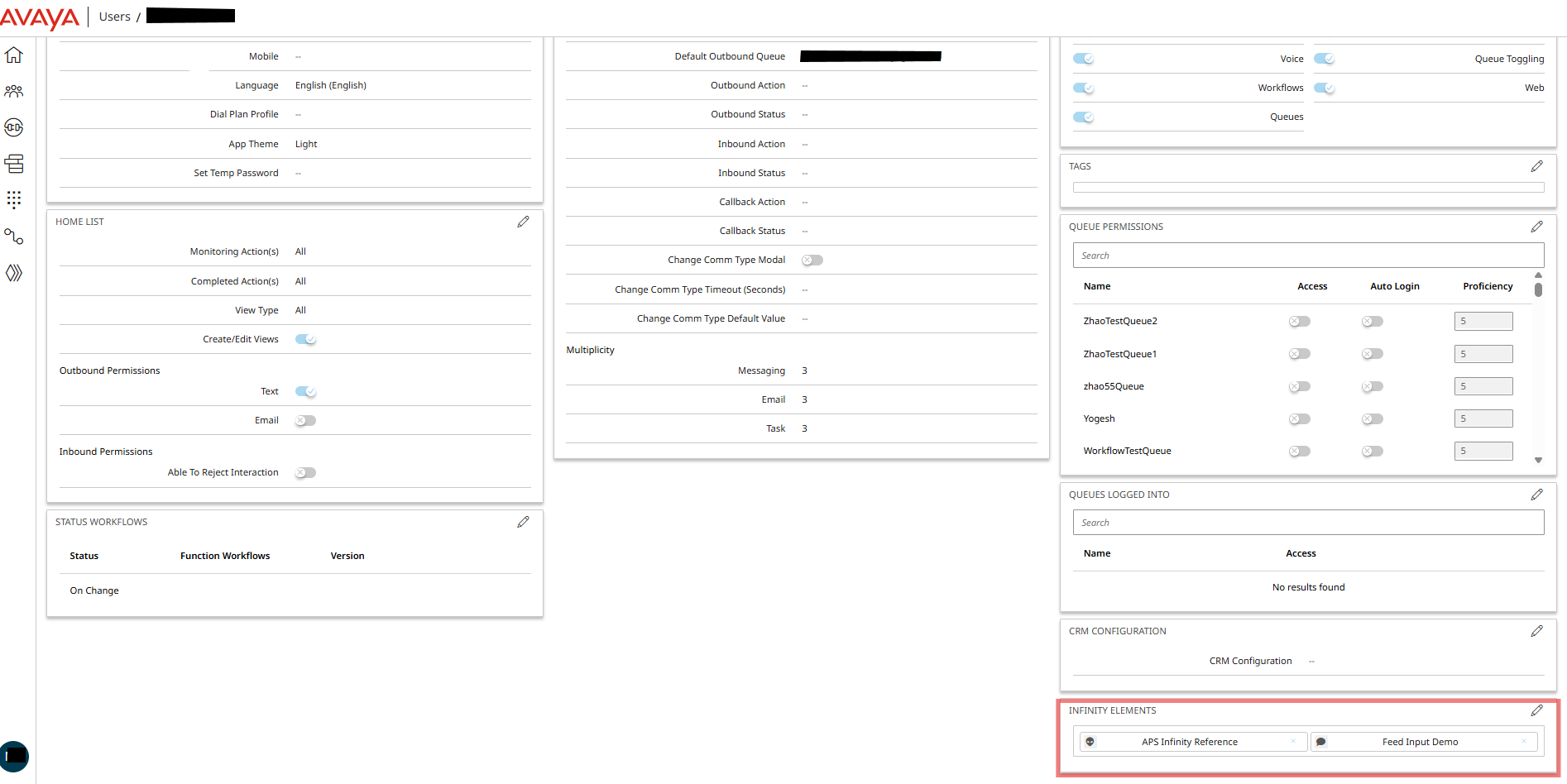
Avaya Infinity Admin - User's Infinity Element Config
Note: App-Level Infinity Elements configured for users are persistently available through the agent's desktop. See App-Level Infinity Elements.
-
Interaction-Level: Associate with queues
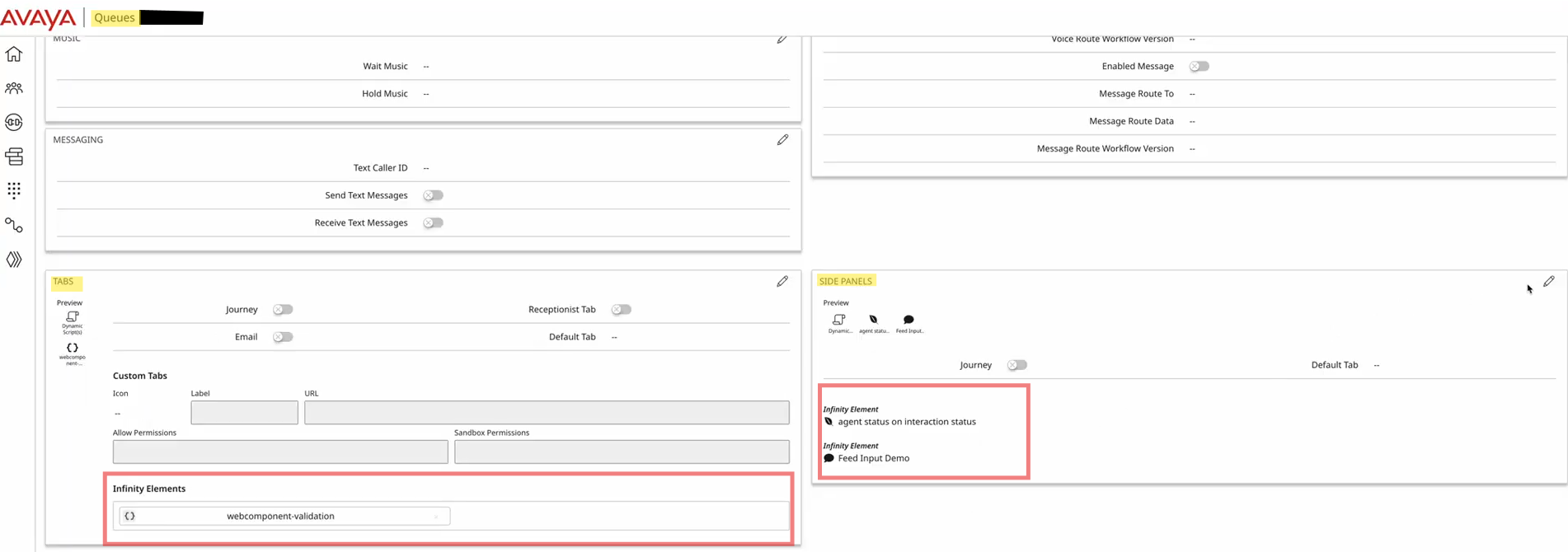
Avaya Infinity Admin - Queue's Tab and Side Panel - Infinity Element Config
Note: Interaction-Level Infinity Elements configured for queues contextually available through the agent's desktop, when engaged with an interaction. See Interaction-Level Infinity Elements .
Custom Properties
You can define custom properties in administration for use within your element:
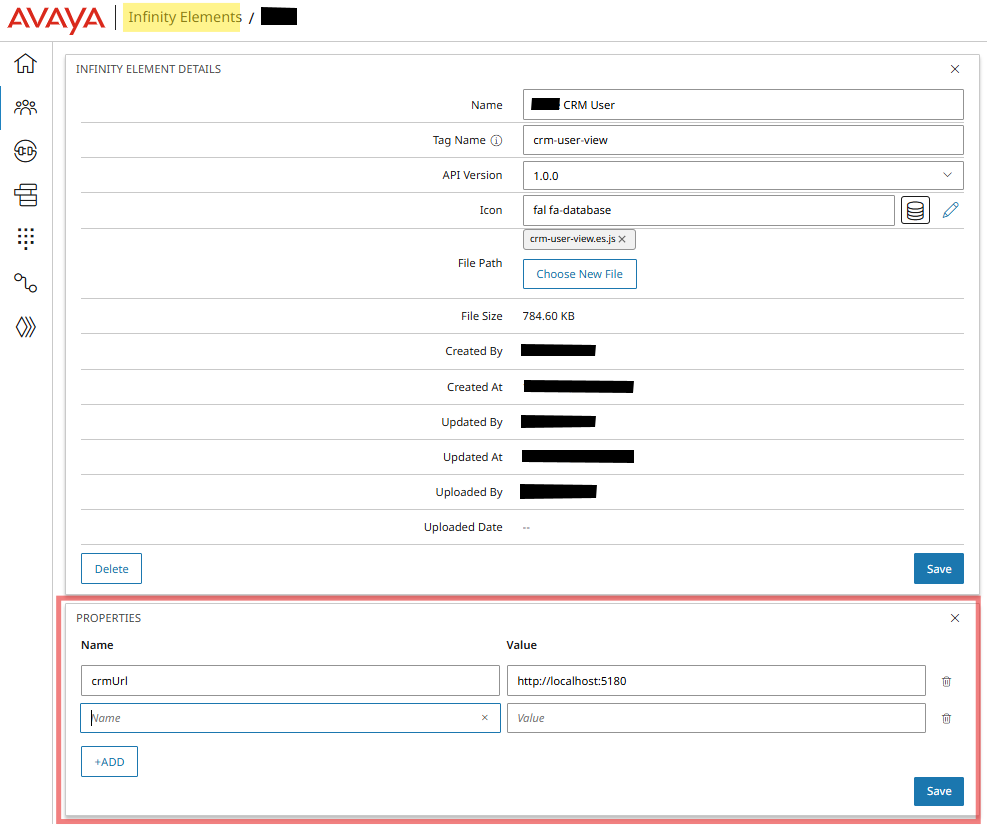
Avaya Infinity Admin - Edit Infinity Elements
| Property | Example Use |
|---|---|
theme | Dark/light mode preference |
locale | Language/region for i18n |
apiEndpoint | Custom backend URL |
customerId | Pre-populate customer context |
debugMode | Enable verbose logging |
These values can then be fetched in the InfinityElement code by setting the ElementProps.
Authentication Profiles
For InfinityElements that integrate with external APIs, administrators can create centralized Authentication Profiles in Avaya Infinity.
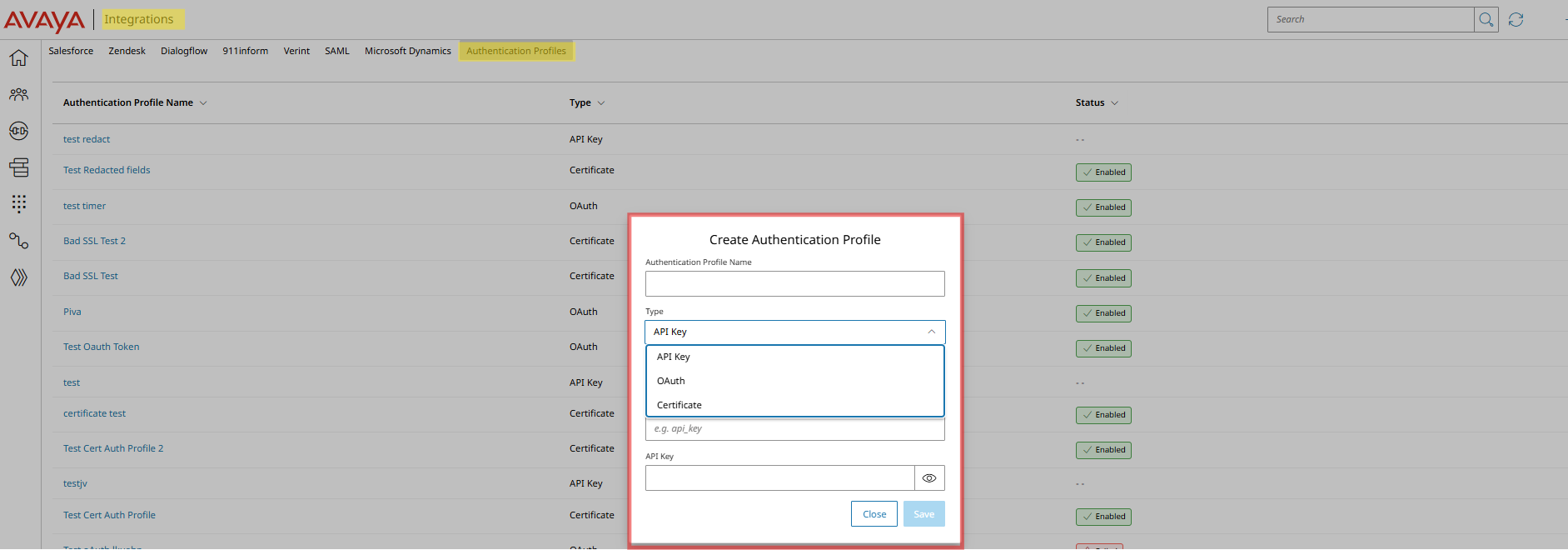
Avaya Infinity Admin - Authentication Profiles
These secure configurations support API Key, OAuth, and Certificate authentication types and can be reused across multiple integrations without duplicating credentials.
External Resource
Please note the following if your InfinityElement accesses external resources.
- Customers must provide hosting for external assets (images, data files, stylesheets)
- CORS configuration required on external servers
- Infinity administration does not host supplementary web application assets
Testing in Production
Since there is no separate staging environment, recommended testing approach:
- Create dedicated test queues for initial deployment
- Assign InfinityElement to test user accounts
- Validate functionality with controlled interactions
- Gradually roll out to broader user base
Resources
Infinity Elements Config | Authentication Profiles | Admin Portal | Element Properties
Updated 8 months ago